
Access plans are open · see the plans →
The Distilled
Free indicators · Open source

Free tools. Code included.

Charting tools you can use and inspect for yourself. Start with Time Based Ranges, or explore the open-source scripts below.

Featured release · Pine Script v6

Time Based Ranges

The session range. The first sweep. What happens next.

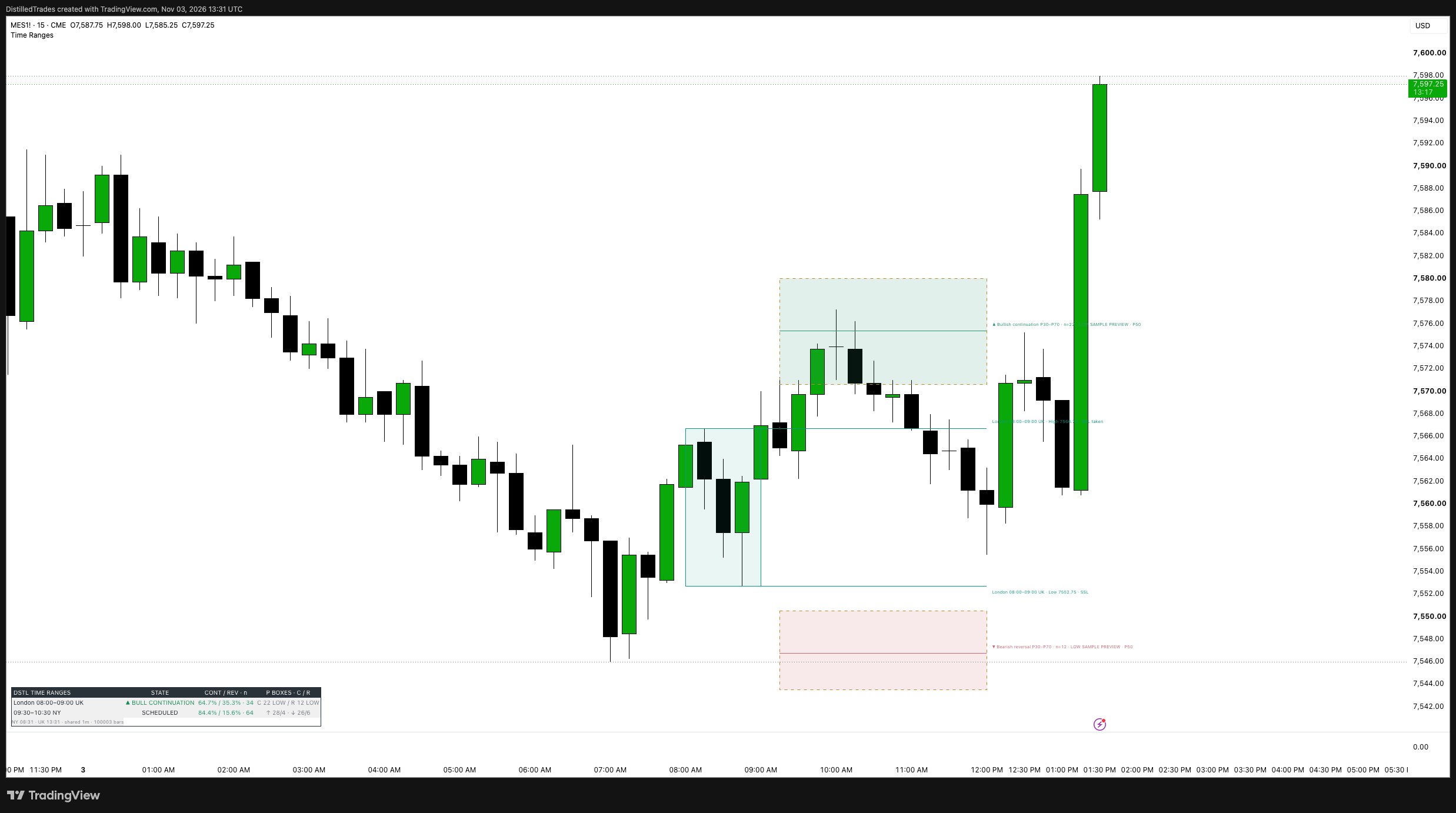
Map key London and New York windows, follow the first range edge taken, and distinguish a reversal from continuation confirmed at the window’s deadline.

  • First high or low sweep, followed through to the deadline.
  • Reversal when price breaks the opposite range edge.
  • Historical continuation/reversal frequencies and P30–P70 excursion zones.
Read the release post ↗
MES 15-minute chart showing London time ranges and historical continuation and reversal excursion zones
Chart from the release post · historical example, not a live signal.
From code to chart

Add it in Pine Editor.

No Distilled subscription is needed.

  1. Open the published source, or download the .pine file.
  2. In TradingView’s Pine Editor, create a new indicator and replace the template with the full script.
  3. Save, choose Add to chart, then select your London and New York windows in Settings.

The code download matches the published source. Historical frequencies and excursion zones describe earlier sessions; they do not predict the next one. Low-sample previews stay labelled.

More open-source tools

Open each TradingView listing to add the indicator and inspect its source.

Free guide
– / –100%Download

    Type to search every page on the site.